Saturday, March 26, 2011

How to submit your website or blog in yahoo

To submit website or blog in Yahoo. we should submit that in yahoo explorer http://www.siteexplorer.search.yahoo.com/ 


when you browse the above link the blow screen appears


After signing in . the below screen appears.

Just fill the url box with the website you want to submit.Then click on Add my site.
There your website got submitted in yahoo search engine.

Friday, March 25, 2011

Submit website or blog in Exactseek Search Engine

To Submit your website or Blog in Exactseek. Then click on New member.


Fill all the details then click on sign up.


A mail will be sent to the mail id you have given while signing up. 
Just open that mail id and confirm the sign up by clicking  on verify member.
After clicking on verify member then the confirmed website opens.


So now click on Add url.

Just login .

Now click on freelisting

just give your url and click on add listing.


Therefore website or blog got submitted.


I hope you all understood. If you any kind of doubts you can comment over here.

Submit website or blog in Bing webmaster

To submit website or blog in Bing webmaster use this link. http://www.bing.com/webmaster/SubmitSitePage.aspx
Then this appears

We should just fill the 2 options that is characters and the url. then click on submit url.
then this appears

There fore website got submitted.

How to submit your website or Blog to Dmoz search engine

Dmoz is also a Search Engine and also most comprehensive human reviewed directory.
This is a open directory and there is no need to register and login.
Actually my website is http://www.technicalsetup.blogspot.com/
So this website is related to computers and technology. So select a category of computers. then computer science.
Now click on computer science.
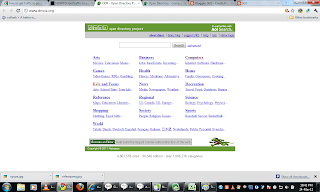
then the below screen appears.
Now click on directories.
Then computer directories will appear.

Now click on suggest Url which is at the top of the website and 5th option.


Then a form appears.


therefore fill all the details and your website in the above form.then click on submit.
There the website http://www.technicalsetup.blogspot.com has been submitted to Dmoz.org.
You can submit any kind of website according to its category by following the above specified method.

Thursday, March 24, 2011

How to submit your website or blog in Alexa

Alexa is a best traffic search engine.

To submit your website in Alexa:
Browse Alexa.com
Get register in it and confirm it with the mail you get from it.
Claim you website by entering your website in the claim box.

now click on claim. Then verification of the blog option appears.
Now  there are two verify options.
Its better to prefer second option verification.
In the second option verification alexa has provided a meta tag code. which we should add in our blog.
Let us see how to add the Alexa provided meta tag.
Just login in to your blog. then goto design or layout < edit html.
Then code of the blog will be appeared. you search for <head >tag and paste the alexa meta tag code below it then click on save.
Then come to the alexa and click on verify meta tag.
Then we can see 2 options again  that is
1. edit your site listing and
2. Drive you more traffic.

Let us see these both in detail.
1.edit your site listing

In this option you can give all the details and your details by filling the form. So that our website will be visible in the Alexa with our related information in details. After filling all the details click on save.
now let us study about option number 2 that is
2. drive traffic more.
By click this option there will be appearing three steps. Enter your website address in the step 1 box and click ok. then the about screen appears. there fore the website is submitted. no need to review it by step3.

Get Traffic through Search Engines

For increasing traffic to your website and blog , submit your websites or blogs in Search engines.
there are many search engines.
Some of the important search engines are:
1. Alexa.
2. Dmoz.
3.What you seek.(paid)
4. Msn
5. Alta vista(paid)
6. Extract seek
7. kanoodle(paid)
8. National directory(we cannot submit)
9. All the web(paid)
10. Excite
11. Live
12.Yahoo
13. Aol
14.Gigablast
15. Lycos
16. Searchlt
17. Ask
18. Google
19. Looksmart
20. Webcrawler